





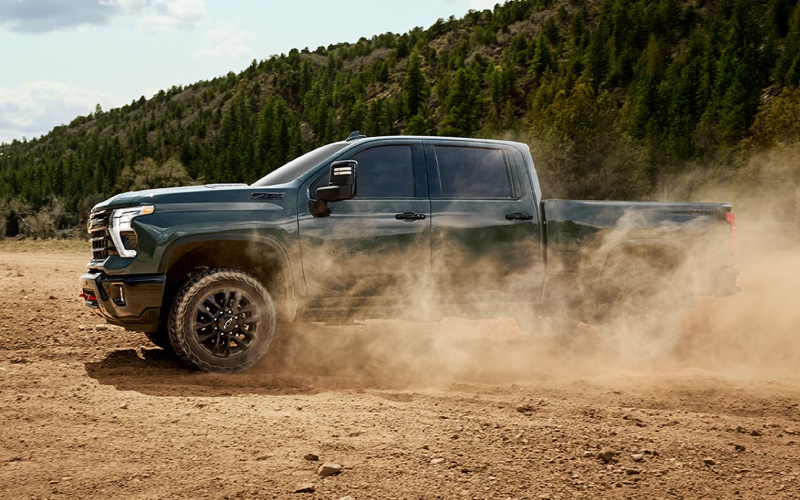
City Motor Company – What can the 2026 Chevrolet Silverado 2500 HD In-Vehicle Trailering App do for Bozeman, MT hauls?
When you tow frequently, the difference between a stressful hookup and a streamlined departure often comes down to your tools. The 2026 Chevrolet Silverado 2500 HD pairs serious hardware with software that keeps your routine predictable, starting with the built-in, on-screen help of the In-Vehicle Trailering App. If you’ve wondered how much this system can really do for your daily hauls around Bozeman, MT, here’s a clear, practical walkthrough.
At its core, the app lets you create a custom profile for each trailer you tow—bumper-pull, gooseneck, or fifth-wheel—so you can store specifics like tire pressure settings, light check sequences, and maintenance reminders. Once saved, each profile becomes your repeatable checklist and monitoring hub, helping new drivers tow more confidently and seasoned hands shave minutes off setup and departure.
Set up profiles once, then tow with repeatable confidence
Start by creating a new trailer profile on the Silverado HD’s available 13.4-inch diagonal touch-screen. You’ll name the trailer, identify the hitch type, and set preferences for alerts and reminders. This information syncs with the truck’s sensors and available camera views, so every time you hook up that trailer, the Silverado recognizes it and serves up the right tools automatically.
- Trailer profiles: Save multiple setups with hitch type, tire pressure settings, and lighting configurations for quick recall.
- Pre-departure checklists: Step-by-step prompts help you verify coupler pins, safety chains, breakaway cable, lights, and more.
- Light tests: Run a walk-around light test and watch visual confirmations on-screen while the truck cycles through signals.
- Maintenance logging: Track trailer service intervals, bearing checks, or brake adjustments right in the app.
For crews that swap trailers or families towing different campers, these individual profiles prevent guesswork. Once the setup is stored, the app pulls the right list every time that trailer connects, keeping your routine consistent.
Blend camera views with the app for a clearer picture
The Silverado HD’s available camera suite is a natural partner to the trailering app. Hitch View aligns your ball or pin perfectly, while Bed View helps position a fifth-wheel or gooseneck. Out on the highway, Transparent Trailer View can help you “see through” a compatible trailer, which is especially useful for lane changes and merging with traffic. Within the trailer profile, you can prioritize which views you want handy, minimizing taps when you’re focused on position and mirrors.
Pair these views with available trailering safety assists like Trailer Side Blind Zone Alert and HD Surround Vision, and you get more context before you commit to a maneuver. The result feels more like a practiced routine than a high-stress moment, whether you’re threading through city traffic or backing into a tight storage bay.
Why this matters for Bozeman-area towing
Between equipment hauls, livestock runs, and weekend campers, Bozeman-area drivers ask a lot from their trucks. The In-Vehicle Trailering App builds consistency into your workflow—your light test happens the same way every time, your hitch checks are never rushed, and your reminders trigger before an overdue service catches you by surprise. That predictability adds up to fewer delays and more confident miles.
If you share the truck with other drivers, those saved profiles are a quiet game-changer. Instead of text messages and sticky notes about “how we usually do it,” the instructions and specs live in the truck, ready to run the process the same way—every time.
Getting even more from the system
Connect your phone wirelessly through Apple CarPlay® or Android Auto™, then use Google built-in for voice-guided navigation that accounts for your route while your hands stay on the wheel. On longer trips, combine that clarity with OnStar® support for added peace of mind. And if you need to step up capability, the available Duramax® 6.6L Turbo-Diesel V8’s 975 lb.-ft. of torque and 10-speed automatic transmission provide surefooted power that pairs naturally with the trailering tech.
- Pro tip: Name your profiles clearly—“14K flatbed,” “8-horse gooseneck,” or “28-foot fifth-wheel”—to avoid mix-ups on busy mornings.
- Camera favorites: Set quick-access camera views within the trailer profile so the right angles appear with fewer taps.
- Seasonal checks: Use the maintenance log to plan brake inspections and tire replacements around your heaviest tow months.
Because the system keeps a record of usage and reminders, you’ll catch small issues—like uneven tire wear or a recurring light problem—before they become bigger headaches mid-trip. Think of the app as a digital foreman that never forgets the checklist.
Where the tech meets the hardware
Even the smartest software needs a capable platform. Silverado HD’s Durabed offers 83.5 cu. ft. of cargo volume with 12 standard tie-downs rated at 500 lbs. per corner, so your load is as secure as your hitch. The available Multi-Flex Tailgate helps you step up with gear or use a built-in work surface for paperwork at the site. If your towing takes you off the pavement, the ZR2’s Multimatic DSSV™ dampers, 1.5-inch lift, and 35-inch Goodyear Wrangler Territory® MT tires add composure and clearance when the ramp or path is less than perfect.
Put together, it’s a truck that backs up every software advantage with smart, usable hardware—from integrated BedSteps to powerful powertrains—so your tows feel intentional, not improvised.
Try the workflow yourself
Bring your trailer specs to a test drive and ask to walk through the In-Vehicle Trailering App, including profile setup and a light test. If a demo trailer is available, practice lining up with Hitch View and checking position with Bed View, then toggle to Transparent Trailer View on the road. The goal is simple: reduce the number of decisions you have to make under pressure by letting the truck surface the right tools at the right time.
When you’re ready for a hands-on demo, visit the Silverado HD specialists at City Motor Company, serving Bozeman, Whitefish, and Great Falls. Our team will help you tailor the tech and hardware to your specific trailers and routes so your towing days run smoother—right from the first hookup.
Frequently Asked Questions:
Can I save more than one trailer profile?
Yes. You can store multiple trailer profiles in the In-Vehicle Trailering App. Each profile includes hitch type, light test routines, tire pressure targets, and maintenance reminders so you can switch between trailers without re-entering details.
Does Transparent Trailer View work with fifth-wheel and gooseneck setups?
It can. With a compatible trailer and proper configuration, Transparent Trailer View can help you “see through” a fifth-wheel or gooseneck, improving lane-change and merge confidence.
What if I share the truck with another driver?
Saved profiles are ideal for shared use. Each driver can select the correct trailer profile, then follow the same guided checklists and light tests to keep the process consistent and safe.
Do I need the diesel to benefit from the app?
No. The In-Vehicle Trailering App benefits gas and diesel models alike. Choose the available Duramax® 6.6L Turbo-Diesel V8 if you plan to tow heavier, more frequently, or across long grades; otherwise, the 6.6L V8 gas engine remains a strong everyday partner.
Request more 2026 Chevrolet Silverado 2500 HD information
Connect with us


