





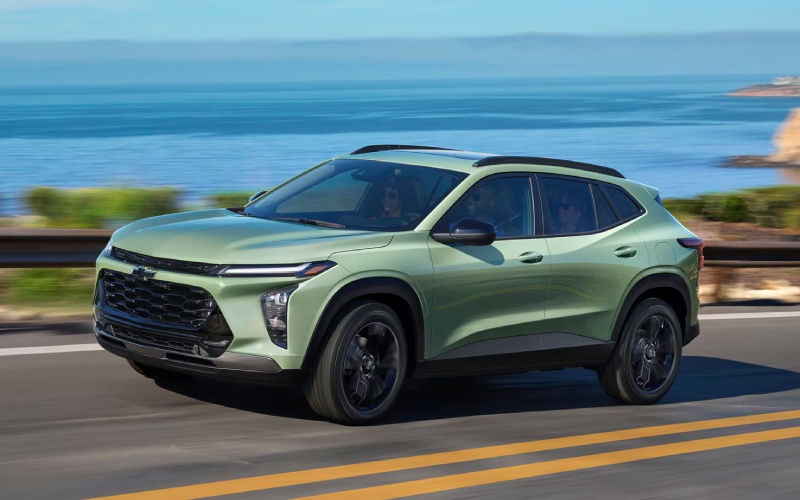
City Motor Company – Is Chevy Safety Assist standard on the 2026 Chevrolet Trax for Whitefish, MT driving?
Safety tech is only helpful if it’s built in and easy to use, and that’s a key reason so many shoppers ask about the 2026 Chevrolet Trax. Chevy Safety Assist is standard on every Trax, which means core features like Automatic Emergency Braking, Forward Collision Alert, Front Pedestrian Braking, Lane Keep Assist with Lane Departure Warning, Following Distance Indicator, and IntelliBeam High Beam Assist are on board from day one. For daily driving around Whitefish, MT—where you’ll mix town streets, undivided highways, and scenic routes—this baseline coverage helps add a layer of confidence without making you feel like you need an owner’s manual to get started.
It also matters how naturally the technology fits into the driving routine. Trax is straightforward to set up, and the alert cues are clear without being overwhelming. Many drivers will appreciate that the systems are designed to assist, not replace responsible driving. The result is a small SUV that’s easy to learn, friendly to live with, and surprisingly comprehensive in the safety department at its size and price point.
What Chevy Safety Assist includes on every 2026 Trax
Let’s break down how each technology supports you throughout a typical week, from quick errands to longer drives to Kalispell, MT or Bozeman, MT.
- Automatic Emergency Braking and Forward Collision Alert help you respond to unexpected slowdowns
- Front Pedestrian Braking adds support in populated areas and parking lots
- Lane Keep Assist with Lane Departure Warning encourages smooth, consistent positioning
- Following Distance Indicator gives a visual cue to help maintain space in traffic
- IntelliBeam High Beam Assist automatically manages high and low beams for visibility
Because these are standard, there’s no second-guessing whether the essentials are covered. You can fine-tune alert sensitivity and how the cues present, but the core systems are ready the moment you set off.
Beyond the basics: available driver assistance and everyday tech
If you want to round out the safety and convenience package, Trax also pairs nicely with available technology that streamlines daily life. The available 11-inch center HD touch-screen provides quick access to apps and vehicle settings, while standard wireless Apple CarPlay and wireless Android Auto compatibility reduce cable clutter. Add available wireless charging and a built-in Wi-Fi hotspot, and the cabin turns into a road-ready command center for navigation, music, and seamless passenger connectivity.
These elements play well with Chevy Safety Assist by keeping your focus on the road. You get your maps, calls, and media in familiar layouts without digging through complicated menus, and the larger display makes it easy to confirm information with a glance. For longer weekend drives toward Glacier-area trailheads, that combination of awareness and simplicity just makes sense.
Trim insights: RS and ACTIV
While Chevy Safety Assist is standard across the lineup, RS and ACTIV give you aesthetic and cabin personality to match the way you like to roll. RS dials up the sporty look with a flat-bottom steering wheel, Red interior accents, a unique grille, and bold Black exterior details. ACTIV leans adventurous with blackout wheels, Titanium chrome exterior accents, and unique interior touches. Both trims can be paired with the available 11-inch center HD touch-screen and other convenience upgrades, so you can have the safety you want and the style you love.
Set up your Trax safety tech in a few minutes
It takes just a short stop in the settings menu to confirm everything is configured to your liking. Here’s a quick process that keeps it simple:
- Adjust alert timing and feedback to match your comfort level
- Confirm IntelliBeam settings for automatic headlight control
- Pair your phone wirelessly so maps and calls work hands-free
- Explore the instrument cluster to see what info you want displayed
- Take a short drive around familiar streets to see the cues in action
Once you dial things in, the systems tend to fade into the background and step forward only when you need them—precisely the kind of tech experience most people prefer.
How this helps in and around Whitefish, MT
Whitefish driving blends neighborhood streets, local businesses, and curvy stretches that reward an attentive, unhurried approach. Chevy Safety Assist complements that style. Automatic Emergency Braking and Forward Collision Alert help with sudden stops near town centers. Lane Keep Assist provides gentle guidance on longer, undivided routes, while IntelliBeam ensures your headlights adapt quickly as lighting changes. It’s a no-fuss toolkit that has your back without complicating your day.
And when you want more visibility right where you look, the available 8-inch diagonal color Driver Information Center can surface audio and navigation details in the cluster. Pair that with the available 11-inch center HD touch-screen and your preferred smartphone platform, and your entire interface becomes consistent and easy to read, whether you’re heading south toward Flathead Valley destinations or meeting friends closer to home.
Who should consider the 2026 Trax for safety tech?
If you value safety systems that are standard, predictable, and tuned for everyday use, the Trax deserves a test drive. Commuters, new drivers, and anyone who appreciates extra awareness will find real value in the way Chevy Safety Assist is implemented. It’s thoughtful rather than intrusive, with clear prompts and logical controls.
When you’re ready to explore trims and build the right mix of tech and style, City Motor Company can walk you through the options, from RS to ACTIV and beyond. Our team is serving Kalispell, Bozeman, and Whitefish with straightforward guidance and a friendly, low-pressure experience.
Frequently Asked Questions:
Can I turn individual safety features on or off?
Yes. You can adjust individual settings, including alert timing and feedback, through the vehicle’s menus so the system behavior matches your preferences.
Does the 2026 Trax include high-beam automation?
IntelliBeam High Beam Assist is included with Chevy Safety Assist, automatically switching between high and low beams to help optimize visibility.
Are Apple CarPlay and Android Auto wireless on the Trax?
Yes. Wireless Apple CarPlay and wireless Android Auto compatibility are standard, allowing you to connect without a cable.
Is the larger touch-screen available across multiple trims?
Yes. The available 11-inch center HD touch-screen can be equipped on select trims, pairing nicely with the standard wireless smartphone integration and available wireless charging.
With standard Chevy Safety Assist and user-friendly tech, the 2026 Chevrolet Trax gives Whitefish drivers a confident foundation. It’s one of the reasons this small SUV feels big where it counts—awareness, convenience, and day-to-day peace of mind.
Request more 2026 Chevrolet Trax information
Connect with us


